
Why timely upgrades matter, a Laravel and Backpack story
One Laravel admin panel, four major versions behind, and the case for never skipping a step.

“If it’s working, don’t touch it.” We’ve all heard some version of that advice, and honestly, it’s tempting to actually follow it. Why go anywhere near a stable application when everything’s already fine?
We took on a project a while back that changed our answer to that question. It was a Laravel admin panel built on Backpack, and it reminded us that the real risk was never upgrading. The real risk is waiting so long that upgrading stops being an option.
A few terms first, in case you need them
Skip ahead if breaking changes and regression testing are already old news.
A major version bump is the kind of upgrade where the framework’s maintainers are telling you, explicitly, that things might break. Laravel and Backpack both follow this convention: patch releases are safe, major releases come with a list of things that changed on purpose.
A breaking change is exactly what it sounds like: something that worked one way in the old version and works differently, or not at all, in the new one. Deprecated methods, renamed classes, changed method signatures, that kind of thing.
An incremental upgrade path means moving through major versions one at a time instead of jumping straight from where you are to where you want to be. Slower on paper, much faster in practice once something goes wrong and you need to know why.
Regression testing is checking that everything that used to work still works, after a change that wasn’t supposed to touch it. Not new feature testing, just making sure you didn’t quietly break something three steps removed from what you actually changed.
Technical debt is the growing gap between the version you’re running and the version that’s actually supported. It doesn’t cost you anything the day you skip an upgrade. It costs you a lot more a few years later, when skipping isn’t an option anymore.
Where this one started
The application was sitting on Laravel 8, Backpack 4, and an older PHP version- nothing broken, nothing on fire, just old. The client wanted it brought up to the latest supported everything: Laravel 12, Backpack 7, PHP 8.2 and up.
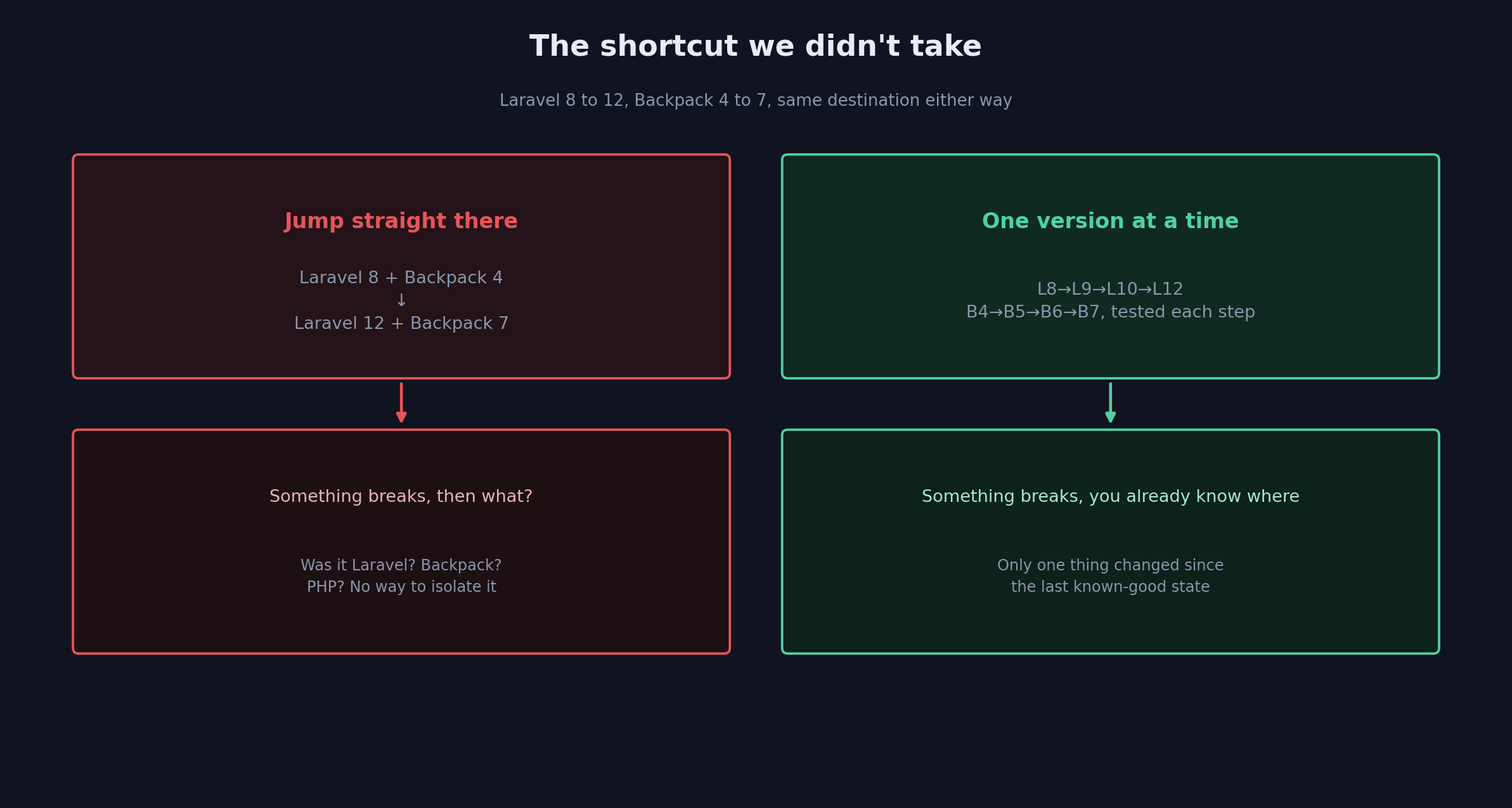
Looking at that gap, the tempting move is obvious: point Composer at the newest versions, run the update, fix whatever complains. Laravel 8 to Laravel 12 in one shot, Backpack 4 to Backpack 7 in one shot, done. Except it’s not really done; it’s just deferred to whenever things start breaking, at which point you’re debugging four major versions of change all at once with no idea which one actually caused the problem.
Why we didn’t take the shortcut
One thing we’ve learned the hard way over the years: never jump multiple major versions in a single move if you can help it. Every Laravel release carries its own breaking changes. Every Backpack release improves the admin panel, sure, but it also deprecates APIs, bumps dependencies, sometimes restructures how packages are organized entirely.
Skip straight from Backpack 4 to Backpack 7, and the moment something breaks, you’re stuck asking a question with no good way to answer it. Was that Laravel? Was that Backpack? Was that the PHP version change underneath both of them? With three major changes landing at once, isolating the actual cause turns into guesswork.
So we didn’t take the shortcut. We followed the official upgrade path, one version at a time, testing at every stop before moving to the next.
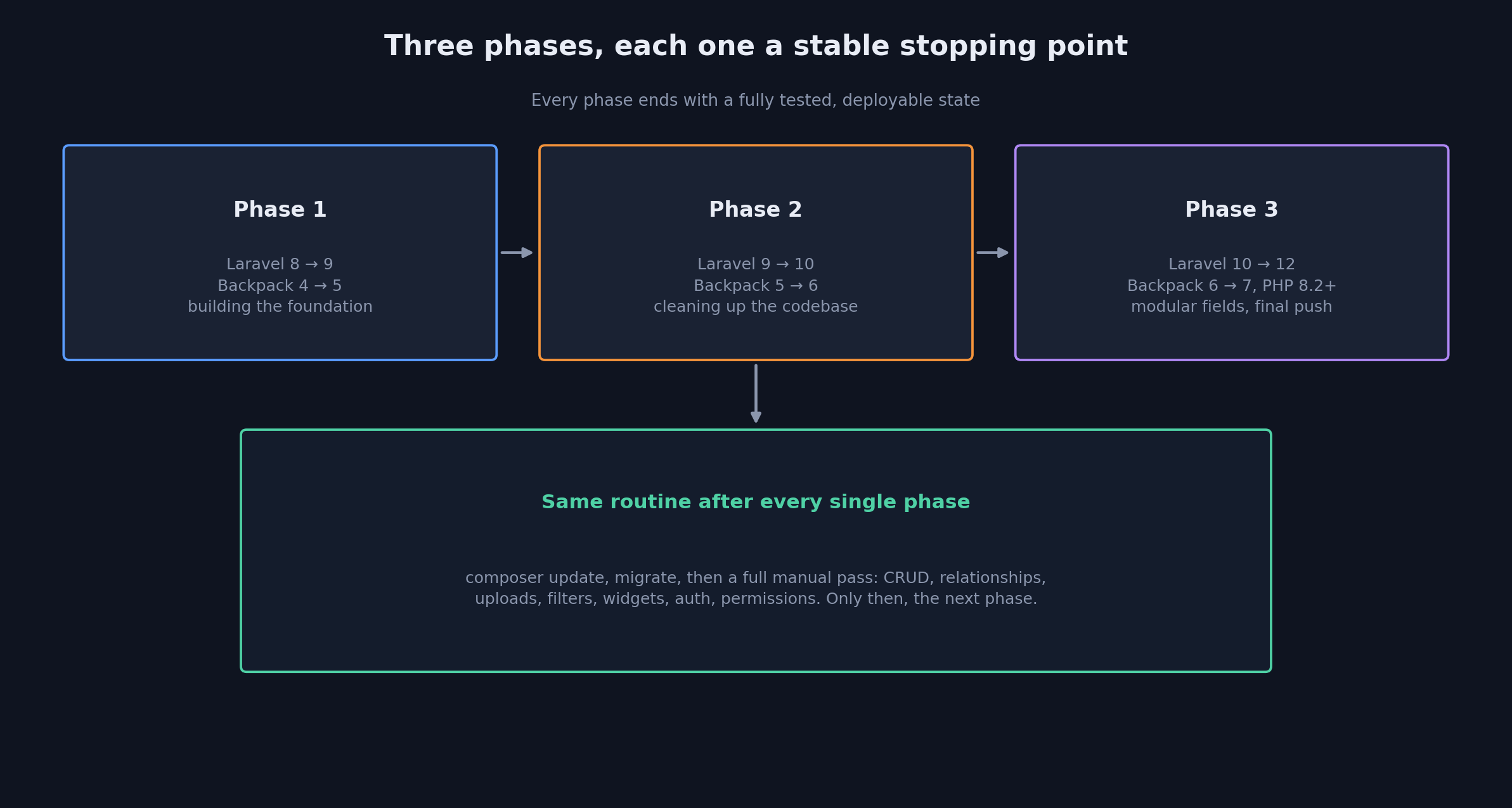
Phase one: Laravel 8 to 9, Backpack 4 to 5
The first jump was really about establishing a stable foundation to build the rest on top of.
composer require backpack/crud:^5.0
composer update
After the packages updated, we republished Backpack’s assets:
php artisan vendor:publish \
--provider="Backpack\CRUD\BackpackServiceProvider" \
--tag=public
Then, before touching anything else, we went through every CRUD screen, every relationship field, every filter, every permission, every widget, and every custom operation by hand. Only once that was clean did we move on.
Phase two: Laravel 9 to 10, Backpack 5 to 6
composer require backpack/crud:^6.0
composer update
This phase was less about surviving the upgrade and more about actually improving the code while we were in there anyway. We refactored controllers that had gotten messy over the years, tightened up dependency injection, updated CRUD operations to match current conventions, and went back through the same testing pass: filters, relationship fields, upload fields, widgets, all of it again.
Every one of these upgrades wasn’t just a version bump; it was a legitimate opportunity to clean up things that had been quietly accumulating cruft since the last time anyone touched them.
Phase three: Laravel 10 to 12, Backpack 6 to 7, PHP to 8.2+
This was the biggest jump and the one with the most structural change. Backpack 7 moved to a more modular approach for a lot of its optional fields; rich text editors aren’t bundled by default anymore; you install what you actually need:
composer require backpack/tinymce-field
or, if that’s the preference:
composer require backpack/ckeditor-field
File uploads needed their own step:
php artisan backpack:upgrade-dropzone
And Backpack ships an upgrade helper that handles a chunk of the mechanical changes automatically:
php artisan backpack:upgrade
Automated helpers are useful, but we never treated their output as the finish line. After every automated step, we went back through the code by hand and re-ran the full feature test again, same as every phase before it.
The part that actually mattered more than the upgrades themselves
The workflow never really changed across any of the three phases:
composer update
php artisan optimize:clear
php artisan migrate
php artisan route:list
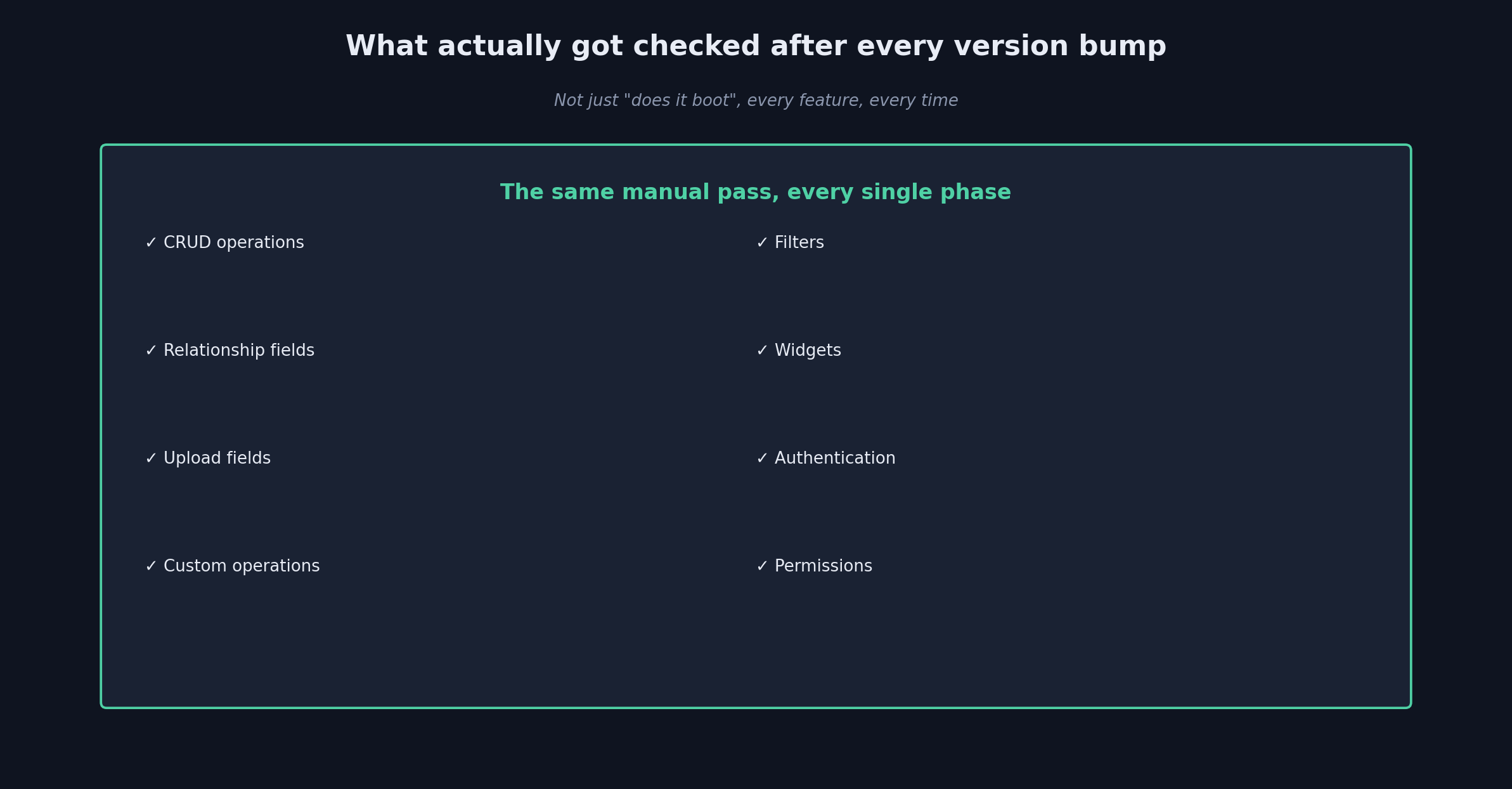
And then, every single time, a full manual pass: CRUD operations, relationship fields, upload fields, custom operations, filters, widgets, authentication, permissions. Not a skim, an actual walk through each one. Only after that did we move to the next major version. The upgrades themselves were mechanical, mostly. The testing discipline is what kept any of it safe.
What we took away from this one
A lot of developers are genuinely afraid of upgrading, and we get why; upgrades have a reputation for breaking things unpredictably. But the upgrade itself was never really the risk here. The risk was the years of waiting beforehand.
Technical debt doesn’t announce itself. It just quietly grows, dependency by dependency, until one day a security patch you actually need depends on a framework version you’re nowhere close to running, and now you’re not choosing whether to upgrade, you’re choosing how much pain the overdue upgrade is going to cause.
Don’t be afraid of the upgrade. Be a little more afraid of the day your application’s fallen so far behind that upgrading it feels genuinely impossible. Go one version at a time, test everything thoroughly at every step, and keep whoever you’re building for in the loop the whole way through. That’s really the whole method, and it’s the difference between a routine maintenance project and a multi-week fire drill.